


Download Cover Printer – CD DVD Cover Printing Tool
Overview
Cover Printer is a specialized mobile application designed to simplify the creation and printing of custom covers for CD and DVD collections. The app targets users who maintain physical media libraries and seek a streamlined method to produce professional-looking inserts and covers. By integrating image formatting, internet search capabilities, and precise layout tools, Cover Printer addresses common pain points such as incorrect sizing, time-consuming trial prints, and limited access to high-quality cover art. Its primary purpose is to eliminate the complexity of designing and printing media covers, offering a dedicated solution for hobbyists, collectors, and small-scale media distributors.
The app is particularly useful in scenarios where users want to preserve the aesthetic quality of their disc collections or prepare media for gifting, resale, or archival purposes. Whether arranging a personal music library or organizing a video collection, Cover Printer ensures consistent, print-ready results. While the developer’s background is not detailed in the provided information, the app’s focused functionality suggests a niche-oriented development approach. It fills a specific gap in the mobile productivity ecosystem by offering a mobile-first alternative to desktop-based design tools, making it accessible to users on the go.
Key Features & Functionality
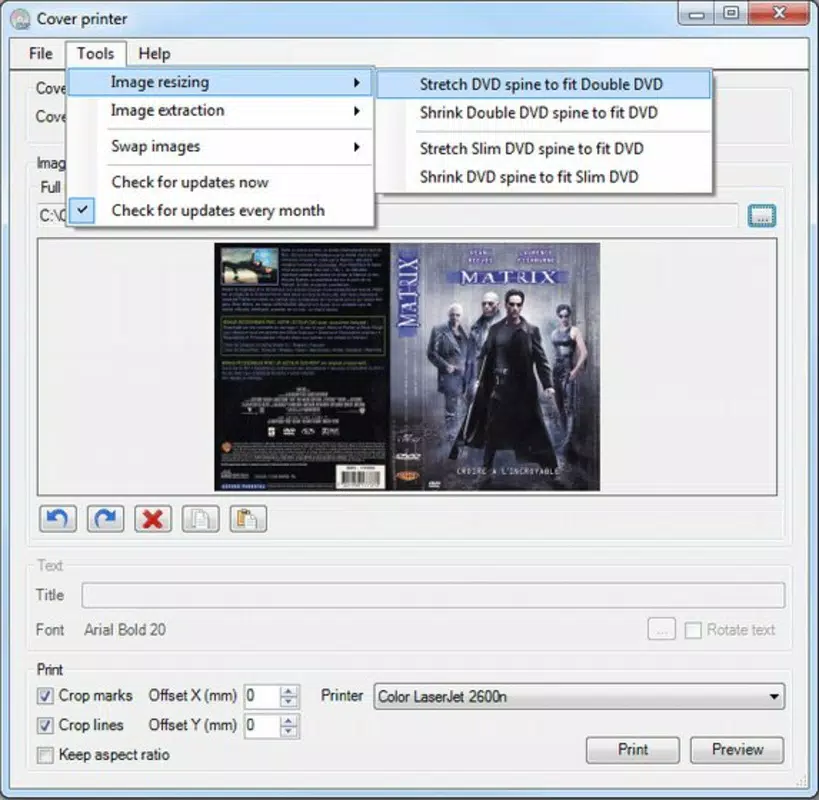
- Easy Image Adjustment: Users can modify cover designs with minimal effort. The app includes precision measurement tools to ensure images align perfectly with the dimensions of various media cases, reducing errors and the need for multiple print attempts.
- Internet Image Search: Direct integration with online image sources allows users to search for cover art without leaving the app. Found images can be downloaded and imported seamlessly, expanding access to a broad range of designs.
- Predefined Format Options: The app offers multiple preset templates for different disc types, including single and double discs, as well as varying booklet sizes. This feature accelerates the design process and ensures compatibility with standard media cases.
- Time and Ink Saver: By automating layout adjustments and providing accurate sizing, Cover Printer reduces wasted prints and ink consumption. This is especially valuable for users who frequently print covers and want to maintain cost efficiency.
- Flexible Design Layouts: Users can customize layouts to suit specific needs, whether for exterior inserts or interior CD booklets. This adaptability supports both standard and non-standard media formats.
For example, a music collector can use the app to search for album art, adjust the image to fit a jewel case insert, and print a polished cover in under five minutes. Similarly, a video archivist can quickly generate consistent covers for a series of DVDs using predefined templates, ensuring uniformity across the collection.
Interface, UX & Performance
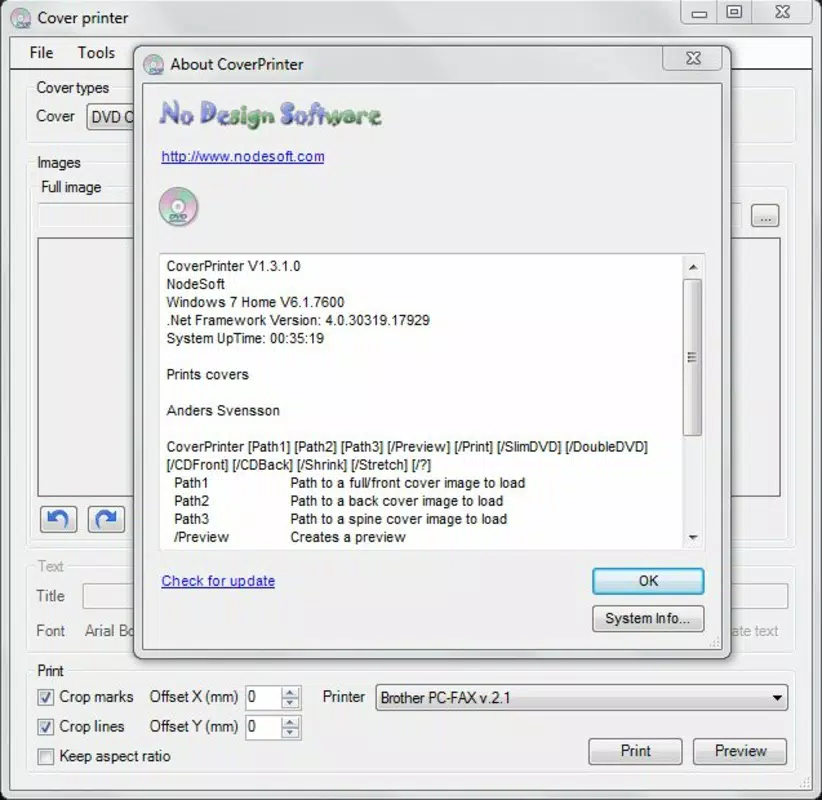
The user interface of Cover Printer is described as intuitive, enabling users to navigate through design and printing workflows with minimal learning curve. The visual layout emphasizes clarity and functionality, with toolbars and menus positioned for easy access. Navigation appears to follow a logical sequence: select format, import or search for image, adjust layout, and proceed to print.
Although the developer did not list formal performance metrics, the app’s focus on streamlined design suggests optimized responsiveness across a range of devices. Users can expect smooth interactions during image manipulation and layout adjustments, with minimal lag during standard operations. Stability is likely maintained through the app’s limited scope and targeted functionality, reducing the risk of crashes during common use cases.
Performance on lower-end devices may vary, but the app’s lightweight design—implied by its focused purpose—suggests compatibility with a broad spectrum of smartphones. The app’s efficiency in handling image processing tasks indicates optimized resource usage, though specific technical details were not provided.
Platform Compatibility & Technical Requirements
Cover Printer is available on Android, supporting the latest version of the operating system. The app’s file size is approximately 12.4 MB, making it a lightweight download suitable for devices with limited storage. Specific minimum OS requirements were not listed, and compatibility with older Android versions remains unspecified. Users should ensure their device meets general Android system standards to run the application.
Given the app’s release date of April 21, 2015, it is possible that updates have been released to maintain compatibility with newer Android versions. However, no information was provided regarding update frequency or future development plans. The app is designed for mobile use, enabling users to manage their media covers directly from their smartphones or tablets.
Pros and Cons
Pros
- Intuitive interface designed for easy navigation and quick setup.
- Predefined templates for multiple disc and booklet formats.
- Direct internet search for cover art within the app.
- Efficient image adjustment tools reduce trial prints and ink waste.
- Lightweight file size suitable for devices with limited storage.
Cons
- Specific OS requirements were not disclosed.
- No information on update frequency or long-term support.
- Limited to CD and DVD cover printing—no support for other media types.
- Developer background and company details were not provided.
- Compatibility with older Android versions remains uncertain.
FAQ
Is Cover Printer safe to download and install?
Yes, the app is designed for secure use on Android devices. As with any mobile application, users should download it from official sources to ensure authenticity and avoid potential risks.
Can I use Cover Printer on iOS devices?
Based on the available information, Cover Printer is currently only available for Android. There is no confirmed iOS version at this time.
Does Cover Printer require an internet connection?
Yes, an active internet connection is necessary for the built-in image search feature. Offline use is limited to preloaded or previously imported images.
How often is Cover Printer updated?
The update frequency is not specified. Users are advised to check the app store for the latest version and release notes.
Can I print covers for double-disc sets?
Yes, the app includes predefined formats suitable for double-disc cases, allowing users to create accurate layouts for multi-disc media.
Final Thoughts
For collectors, archivists, and enthusiasts maintaining physical CD and DVD libraries, Cover Printer offers a focused, efficient solution to a niche but persistent challenge. Its combination of predefined templates, direct image search, and precise layout tools makes it a practical tool for producing professional-looking covers with minimal effort. While the app lacks detailed technical disclosures and long-term support visibility, its core functionality remains highly relevant in today’s digital media landscape.
Despite its age, the app continues to serve a specific user base effectively. Its lightweight design and mobile-first approach make it a valuable addition to any media management workflow. For those seeking a reliable way to print custom covers without the complexity of desktop software, Cover Printer delivers tangible value.
Download Cover Printer now


